Your reading,
taking root.
Pagewillow is a free book-tracking website and private reading journal. Log your books, keep the words you love, and grow a colourful garden with every page you read.
Start your reading garden ↗Free web beta · Google sign-in · Your journal stays private

 AN ILLUSTRATED GROVE · YOURS GROWS AS YOU READ
A book tracker that feels like a place to stay.
Find a book by title or author, choose its cover, and add it to your shelf. Keep track of what you’re reading, what you’ve finished, and what you want to read next.
- Log the page you reached and rate your books.
- Save favourite quotes, reflections, and book reviews.
- Remove a book when it isn’t for you, while keeping your notes and garden.
Turn pages. Put down roots.
Your reading progress helps a tree grow. Weekly reading goals, monthly quests, and fully grown trees earn garden leaves to spend on seeds, care, and journal covers. Sharing reviews is optional.
 A little beginning
Start with an oak seedling and your next book.
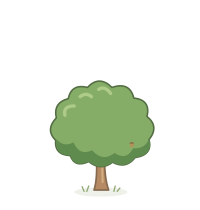 One more chapter
Log your reading and watch your tree grow.
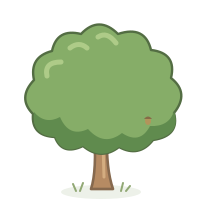 A garden of stories
Collect different trees and keep planting.
A reading journal,
with a cover that’s yours.
Name your journals and give them genres or themes of your own. Open a cover to find the quotes, reflections, and reviews tucked inside. Each journal has its own chosen cover, and quotes and reflections stay private.
Choose from a collection of 20 journal covers, including ornate botanical and celestial designs. Four covers visit the shop each day; the ones you buy remain in your collection. Each journal’s chosen cover appears on your shelf and colours the notes inside.
Find your reading journal ↗


Before you plant a seed.
What is Pagewillow?
Pagewillow is a book tracker and reading journal with a growing garden. You can record books, log reading progress, add ratings and favourite quotes, and grow cartoon trees through reading.
Is Pagewillow free?
The current web beta is free. Garden leaves are earned through reading goals, quests, and fully grown trees. There are no paid seed purchases in this version.
How do I start tracking my books?
Open Pagewillow, continue with Google, and search for a book by title or author. Add it to your shelf and log the page you reach. Your account saves your reading and garden so you can return on another device.
Do I have to publish book reviews to grow trees?
No. Logging your reading grows your trees. Weekly goals and monthly quests let you earn leaves without sharing reviews. Quotes and reflections stay private, and sharing selected reviews with friends is optional.
Can I use Pagewillow on my phone?
Yes. Use Pagewillow in a modern phone browser. It is currently a web app, not an app available in the Apple App Store or Google Play.
Can I change my journal cover?
Yes. Buy a cover with garden leaves from the daily shop, then open a journal and choose Edit name, genre & cover to use any cover you own. Purchased covers remain available even after the shop rotates.
Can I export or delete my account?
You can export your reading data from Profile. Account & cloud saves includes account deletion after Google confirms your identity. Username reservations remain to prevent reuse. See the privacy page for details.
Your next chapter starts here.
A little reading. A little growing. A little space for you.
Open Pagewillow ↗